



 Char Bazaar buy and sell
The Esterot OTC comes with the Esterot Assistant: healing, protections, attack, target, friends, equipment, tools and alarms, all in one window. The names below are written as they appear in the client.
Healing and attack assistants are allowed. Cavebot / 100% AFK hunting is not: instant ban. The Assistant has no cavebot: it never walks a route for you. See the Server Rules.
1. Opening the Assistant
The button and All on
Click the Esterot Assistant button in the panel of control buttons. All on turns everything on or off at once; its default key is Pause.
The panel on the screen
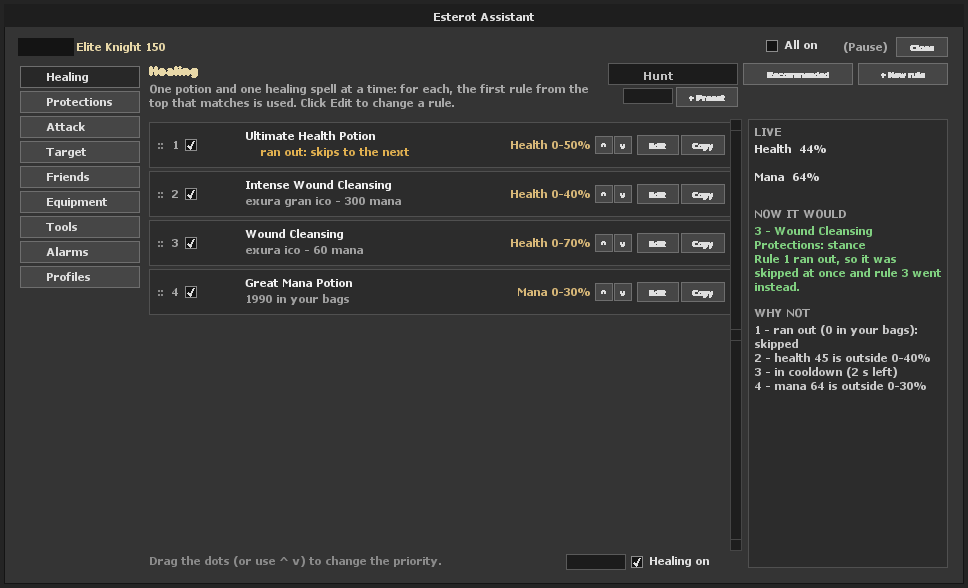
A small panel on the game screen shows what is on (ASSISTANT on or paused, and the preset of each part). Click a line to turn that part on or off, click the top line to turn everything on or off, and drag the panel wherever you like. The Open button opens the whole window.
2. The quickest way: Profiles, Recommended
One click for your vocation and level
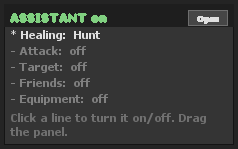
Open the Profiles tab and click Recommended. One click sets up healing, protections, two attack presets (Area and Single target) and the target, for your vocation and your level. Then click All on: the Recommended does not turn it on by itself.
You can change any rule afterwards; the Recommended only gives you a starting point.
3. The tabs
Healing
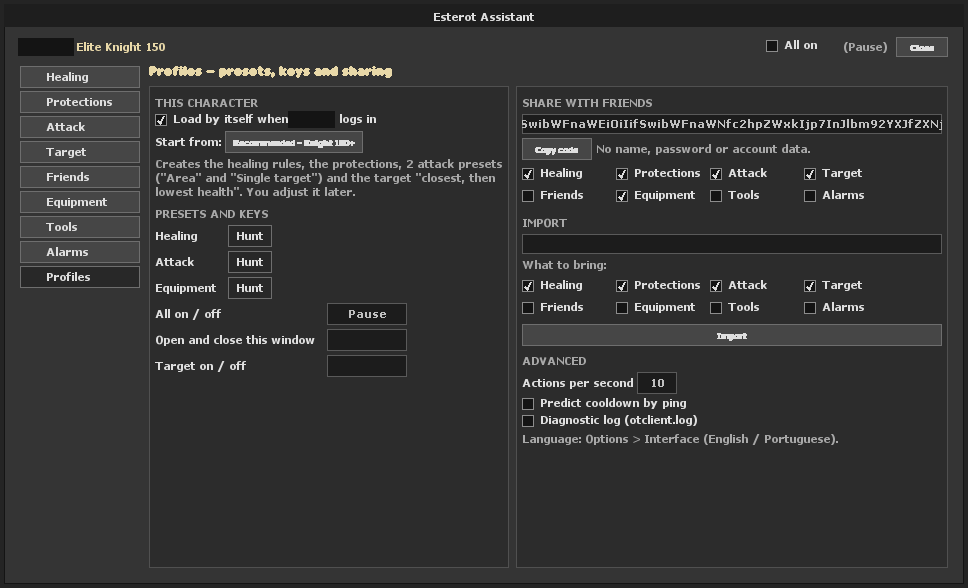
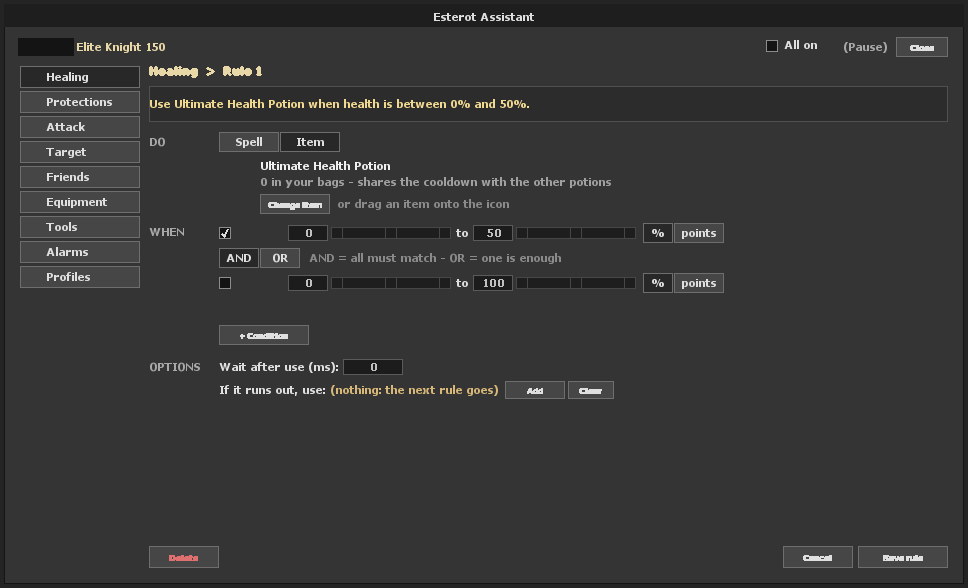
Rules are read from top to bottom. Each rule says what to use (a spell or an item) and when: a range of HP or mana, in percent or in points. A potion and a healing spell can go out together: for each of the two, the first rule that matches is used.
Potions and runes are used straight from your backpack, even when it is closed. If an item runs out, its rule is skipped and the next one is used at once (ran out: skips to the next).
Drag the dots (or use ^ and v) to change the order; Edit opens the rule. The LIVE box on the right shows what the Assistant would do now and why a rule did not go out.
Protections
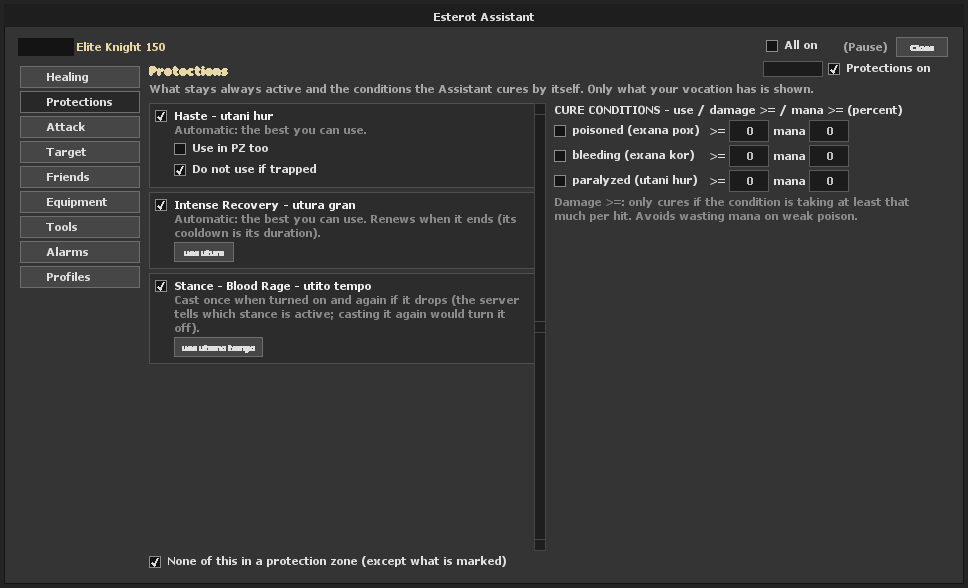
What stays always active, and the conditions the Assistant cures by itself: haste, utura, Magic Shield, and curing poison, burning, bleeding, paralysis and the like. Only what your vocation has is shown.
Attack
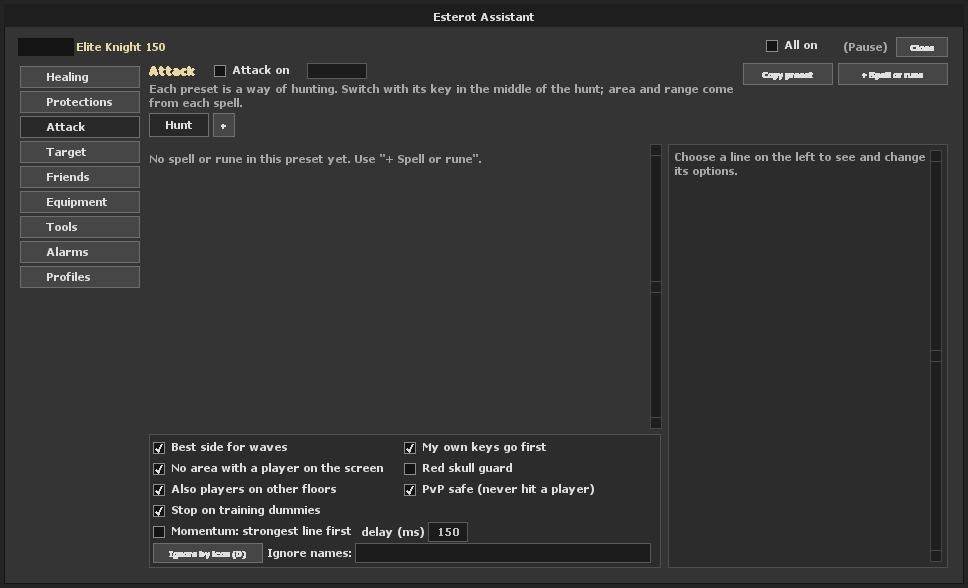
Each preset is a way of hunting, with its own key (F5, F6...) to switch in the middle of the hunt. An area rune goes to the best spot and, with Safe on (the default of every line), never where it would hit a player.
Order in the combo: Waits its turn, Never skipped or When ready. With No area with a player on the screen turned on, no area spell or rune goes out while a player is on the screen.
exeta amp res only goes out when a monster that attacks from a distance is up to 7 squares away (the server refuses it otherwise). For knights of level 150 or more, the Recommended profile already ends its Area preset with it, and the Assistant only casts it with such a monster nearby and no reward boss on screen. Set up your profile before? Apply Recommended again.
Aimed spells, such as Divine Grenade and Death Echo, get Where to cast in their line of the Attack tab: Target, Me or Best spot, the square in range where the spell hits the most monsters, never on a player in safe mode.
Target spells and runes have Monsters nearby: the line is only used with at least or at most that many monsters on the screen (or only next to you), so "at most 1" keeps a strong single-target spell for a monster that is alone.
Target
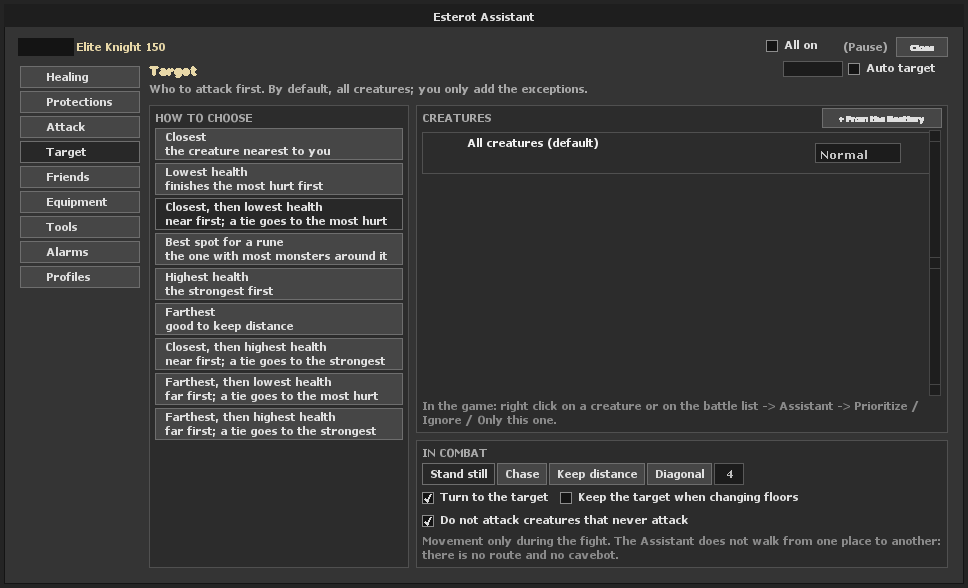
Who to attack first: Closest, Lowest health, Closest then lowest health, Best spot for a rune and other modes. By default the Assistant attacks every creature; you only add the exceptions.
By default the Assistant also leaves alone creatures that never attack (sheep, deer, rabbits...). To attack them, untick Do not attack creatures that never attack, or add the creature to your list.
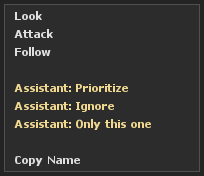
In the game, right-click a creature (or its line in the Battle list), then Assistant: Prioritize, Ignore or Only this one.
Movement during the fight: None (the default: the Assistant leaves your movement alone), Stand still (your character stops when the Assistant starts attacking), Chase, Keep distance or Diagonal. Attacking never stops your walk, and the Assistant never walks from one place to another.
Friends
Heals the members of your party, of your guild or the names on a list.
Equipment
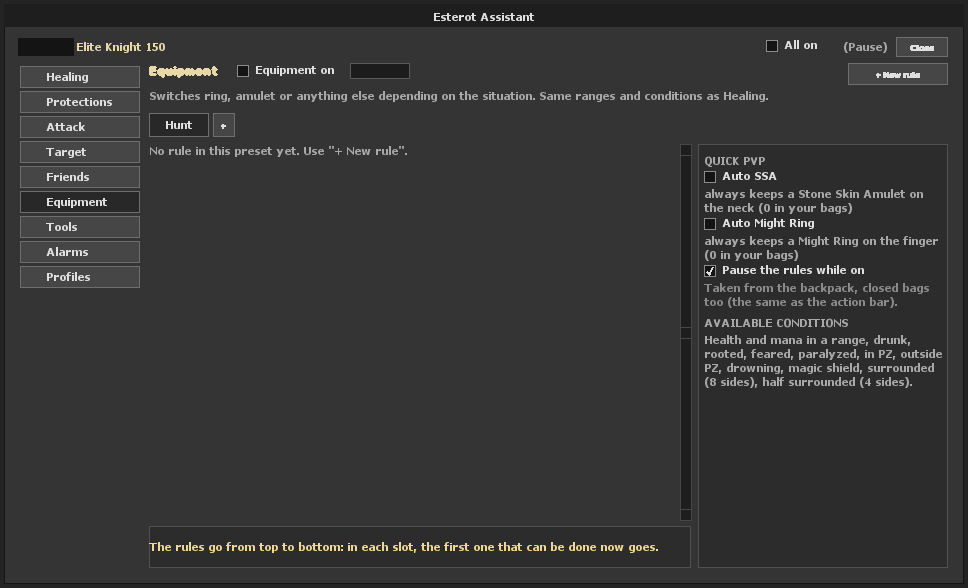
Puts on and takes off rings and amulets by HP, mana or condition, also from closed backpacks. Auto SSA and Auto Might Ring put a new one on as soon as the old one is gone.
Tools
Eat, change coins, fill the quiver, skin and stake corpses, mount outside a protection zone, quick loot with one key, spend full mana with a spell, use an exercise weapon (only in a protection zone, next to an exercise dummy; the Assistant does not walk to it) and timers.
Alarms
A sound (and the client comes to the front) when your HP or cap is low, you are standing still or trapped, you are disconnected or take damage, you get a private message, or a monster, a player, a player with a skull or a guild enemy shows up on the screen or on another floor, or a player attacks you. There is no Gamemaster alarm.
Profiles
Besides the Recommended, each character can load its setup on login. Copy code turns your setup into a code to give a friend; Import brings in only the parts you tick. The code carries no character name, no password and nothing of your account.
4. What Esterot does not have
Not in the Assistant
- Cavebot: walking by itself along a route or waypoints.
The movement of the Assistant is only during the fight. Healing and attack assistants are allowed. Cavebot / 100% AFK hunting is not: instant ban.
5. Questions
The potion does not go out
Check that the rule is above the others and that its HP range matches. The card of the rule says why it did not go out (in cooldown, ran out, refused by the server...).
My healing spell does not go out, only the potion
Some creatures silence you for a few seconds: no spoken spells (attack, healing or support), while potions and runes still work. In the Kher Reach, the Unspoken Riders do it with their scream. The LIVE box then says No spoken spells for 3 s (the server silenced you): potions and runes only, and the Assistant goes on with potions and runes until the silence ends. After each silence you cannot be silenced again for 4 seconds, so even next to several Riders there is always a moment for your spells.
The area spell does not go out
Either there is a player on the screen (option No area with a player on the screen) or there are not enough monsters in the area: the card says so, for example 2 in the area (needs 3).
Can I use it with the official client?
No: the Assistant is part of the Esterot OTC. Download it on the Downloads page.
Training with the client closed: how do I keep going, and how do I stop?
To keep training with the client closed, use Force Exit, not Logout. Only to stop training and leave the game: click Logout twice within 10 seconds.
Careful: Force Exit (closing the client with the X) within 10 seconds after a Logout counts as the second Logout, and your character leaves the game. To keep it training, close the client directly, or wait 10 seconds after the Logout.

Players Online